
Embedding files in R Markdown tasks
In some assessment scenarios, it is useful to provide additional materials directly within a task, such as datasets, PDFs, or supplementary documents.
The rqti package provides the helper function
provide_file() for this purpose. The function embeds a
local file into the rendered output by encoding it as Base64 and
creating a downloadable hyperlink. This means that the file is included
directly in the task and does not need to be hosted externally. This
approach is especially useful when tasks are exported to learning
management systems, as all required resources are bundled within the
task itself.
The following example demonstrates how provide_file()
can be used inside an .Rmd task. In this case, two files are embedded
and offered to the user as downloadable resources.
---
title: "Essay with embedded files"
type: essay
knit: rqti::render_qtijs
---

```{r}
library(rqti)
```

# question

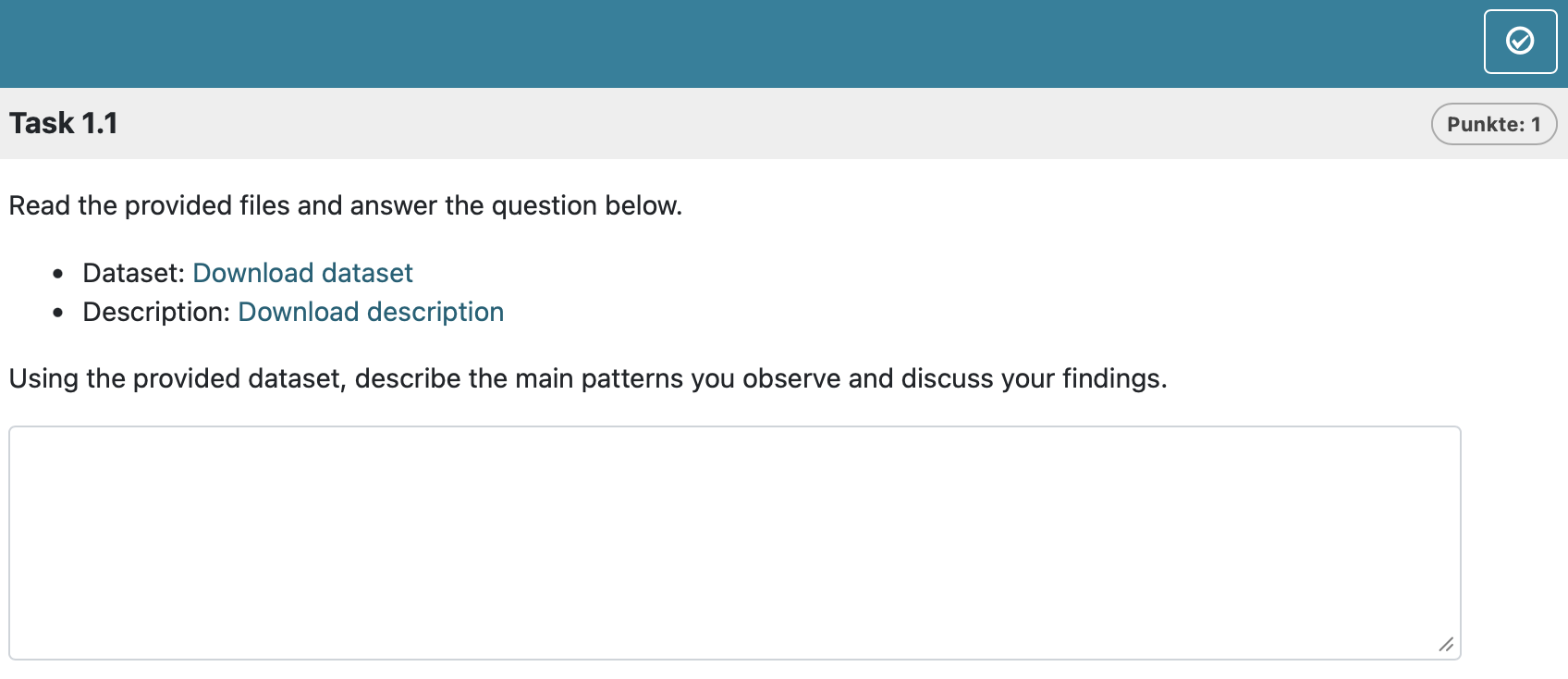
Read the provided files and answer the question below.

- Dataset: `r provide_file("data.csv", label = "Download dataset")`
- Description: `r provide_file("description.pdf", label = "Download description")`

Using the provided dataset, describe the main patterns you observe and discuss your findings.
In this example:
provide_file("data.csv")embeds a dataset directly into the taskprovide_file("description.pdf")embeds an additional documentThe links are rendered as standard HTML
<a>elements with embedded dataWhen the task is exported, both files are included without requiring external references
The inline usage via r … ensures that the links are generated dynamically during rendering.
In OPAL this renders as :
Embedding images
Images in .Rmd tasks are handled in the same way as other external resources.
Images are embedded regardless of how they are created or referenced
in the .Rmd file (e.g., ) or generated
programmatically (e.g., plots in R chunks). In all cases, the image data
is encoded in Base64 and stored directly in the XML, making the task
fully self-contained without external dependencies.